Skip to content

META-MUSEUM

Home » How to Use the attaCHbox App: A Step-by-Step Guide for Museum Visitors

How to Use the attaCHbox App: A Step-by-Step Guide for Museum Visitors

What attaCHbox is, and why you might want it in your pocket

Museums are full of objects that have already done the hard part: they survived. A loaf of bread from an Egyptian tomb, a pair of Byzantine shoes, a papyrus recording a wage dispute three thousand years ago. What they don’t always do is tell you why they still matter to you.

That’s the gap attaCHbox is built to close. It’s a companion app for museum visitors, developed within the META-MUSEUM project, hosting short interactive “activities” that run alongside the physical exhibition. You look at an archival photograph and are asked what you actually see. You pick an object that caught your eye and are asked which value it carries. You name a worry about the world today and the collection answers back with something from the past.

Each activity takes a few minutes and requires no prior knowledge.


Getting started

Installing the app. attaCHbox is available on Google Play. Search for MetaMuseum attaCHbox, or follow the download link on the META-MUSEUM project website. 

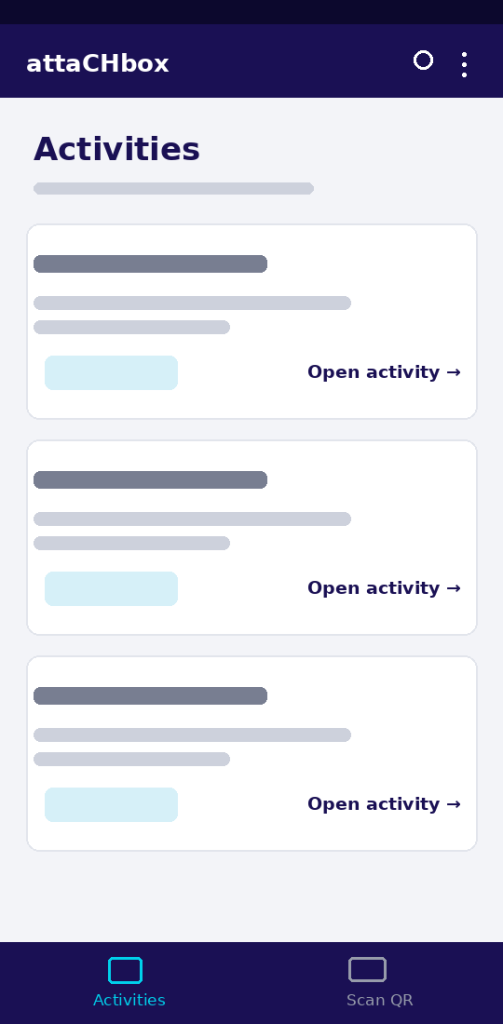
The two tabs. The bottom of the app has exactly two destinations: Activities and Scan QR.

attaCHbox Activities screen: a scrollable list of activity cards (Welcome to the Museum, Audio Prototype / Strike Prototype, Slicing / What do you observe?, Values & Actualisation), each with a programme tag and an "Open activity" link; the bottom bar shows the Activities and Scan QR tabs.

Opening an activity: two routes

Route 1 — from the Activities list

The Activities tab opens on a simple prompt: “Choose an activity to begin your museum experience.” Below it is a stack of cards, each with a title, a one-line description, a tag showing which programme it belongs to (General or META-MUSEUM), and an Open activity → link.

The activities visible in this version are Welcome to the Museum (Discover our collections and plan your visit), Audio Prototype / Strike Prototype, Slicing / What do you observe? Prototype, Values & Actualisation Prototype and Past & Present Prototype. Tap Open activity and you’re in.

Choosing your language. Every activity screen has a language selector in the top-right corner, shown here as EN with a flag icon. Tap it at any point — no need to restart the activity.

Route 2 — scanning a QR code at the exhibit

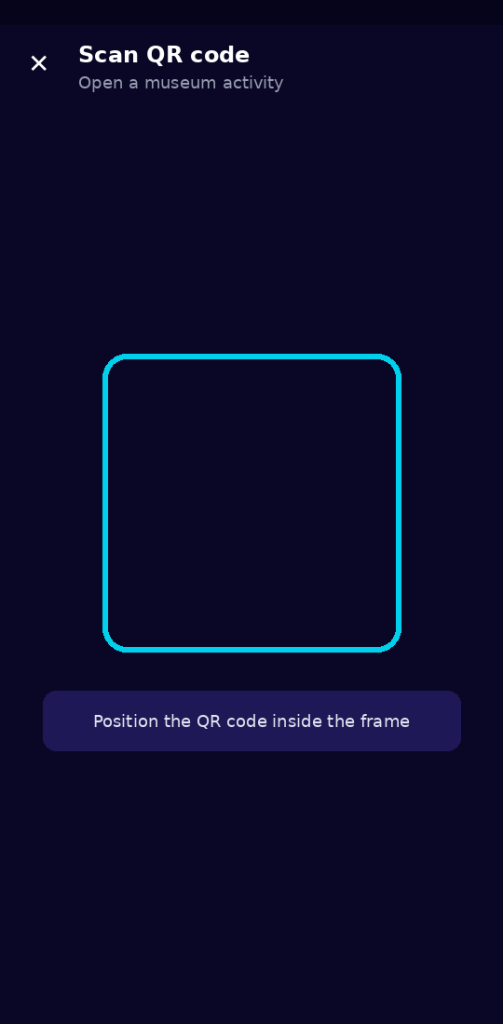
The Scan QR tab opens the camera with a bright frame and one instruction: “Position the QR code inside the frame”.

attaCHbox Scan QR code screen: a dark camera view with a bright cyan square frame in the centre and the instruction to position the QR code inside the frame.

 The header reads Scan QR code — Open a museum activity.

This is the route designed for use in the room: find a QR code on a label next to an object, scan it, and the app opens the activity attached to that exhibit. No searching, no menu.

A note on ID codes

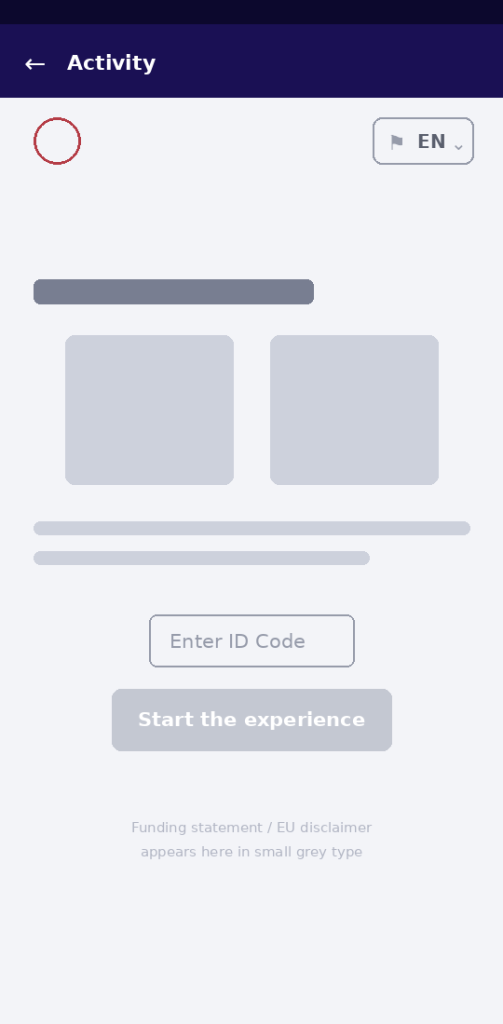
Some activities open on a landing screen with a short description, a field marked Enter ID Code, and a Start the experience button that stays greyed out until the field is filled.

Landing screen of the Values & Actualisation activity, with photos of an ancient loaf of bread and modern bread rolls, an "Enter ID Code" field, a greyed-out start button and the EU funding statement in small print.

Check your museum ticket for the code — if you can’t find it there, ask at the front desk.

The project’s funding statement appears in small grey type at the bottom of these opening screens.


Activity in focus 1: Slicing / What do you observe?

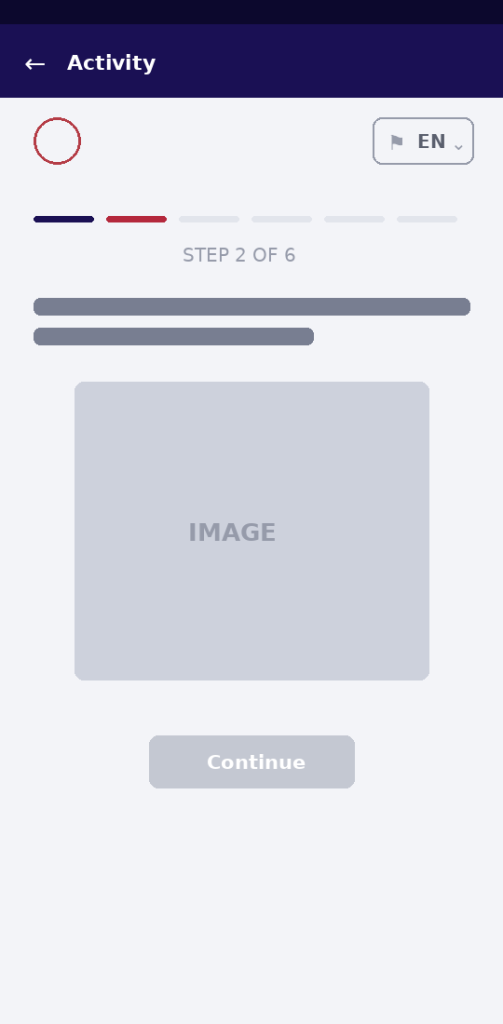
This one is about learning to look. Six steps, with a progress bar across the top.

Start. A plain screen asks “Discover the image — Are you able to observe?” with a single Start button.

Opening screen of the Slicing activity: the heading "Discover the image", the question "Are you able to observe?" and a single Start button, with the EN language selector top right.

Step 1 — react before you know anything. A black-and-white archival photograph appears: a crowd of workers on a rocky hillside, carrying boxes. “Observe and write a hashtag for this photo.” You type into a field marked #… . This is your first, uninformed reading — the app will come back to it.

Step 1 of 6: a black-and-white archival photograph of workers standing on a rocky hillside carrying wooden crates, with a prompt to write a hashtag and an empty "#…" input field.

Step 2 — look closer. The same photograph returns, overlaid with yellow rectangles marking individual details. “What is behind it? Choose two details…”.

Step 2 of 6: the same archival photograph overlaid with yellow rectangles marking individual details, under the instruction to choose two details.

Step 3 — read what you chose. Each selected detail expands into a caption. In the example run, one box was “A guard (gafir)”, the other a “Wooden box decorated with geometric motifs and offering scenes (S. 8213)”, now in the Egyptian Museum.

Step 3 of 6: two chosen details expanded into captions — a guard (gafir), and a wooden box decorated with geometric motifs and offering scenes (S. 8213), now in the Egyptian Museum.

The activity then asks “Is there something about this procession that doesn’t convince you?” and offers a Resolution button. 

Question screen asking whether something about the procession is unconvincing, above the archival photograph, with a Resolution button.

The answer: the figures aren’t walking at all. They’re standing still, posing for a photograph staged so the artefacts are clearly visible.

Step 4 — check yourself. “Do you think that having acquired all this information has changed your first interpretation of the image?”Yes or No.

Resolution screen: the photograph with an explanation that the figures are not walking but standing still, posing for a photograph staged so the artefacts are clearly visible.

Step 6 — before and after. Your two hashtags appear side by side: the one you wrote at the start, and the one you wrote after learning what you were looking at. In the example run, #work became #possibility.

The closing line: “Can you observe? Knowledge can make us see things from a new perspective. Understanding comes through knowledge”.


Activity in focus 2: Values & Actualisation

The longest of the activities — eleven steps — and the one that most explicitly ties a museum object to your own life.

Step 1 — choose an image. “Which one caught your attention?” Scroll through captioned images and pick one: a loaf of bread from the funerary equipment of Kha, architect to the Pharaoh; the man facing tanks in Tiananmen Square, 1989; the first newspaper published in Europe, Strasbourg 1609.

Step 2 — name the value. “Which important value does the image you selected represent for you?” Your choice is quoted back at the top, with a list below: Memory, Hope, Love, Courage, Peace, Knowledge, plus a free-text Other… field. In this run, the newspaper led to Knowledge.

Step 3 — find it in the present. “You selected Knowledge. Today, where do you think you can encounter this same value?” A scrollable gallery of places: hospital, library, university, art gallery, place of worship, mountain lake, school, theater, stadium.

Step 4 — find it in a person. “Which of these contemporary figures do you think embodies this value?” — a scrollable set of credited portraits, from Queen Elizabeth II and Barack Obama to Marina Abramović, Neil deGrasse Tyson and Greta Thunberg.

Step 5 — add your own. A free-text field with the placeholder “e.g. Malala Yousafzai” and a Discover your reflection button.

Step 5 of 11: a free-text field with the placeholder "e.g. Malala Yousafzai" and a "Discover your reflection" button.

Steps 6–10 — the story. Now the app tells you something. An ancient papyrus in the Egyptian Museum of Turin records the first strike known in recorded history: workers who downed tools because they weren’t being paid — an act of protest against authority, “just like the young man who stood in front of a tank in Tiananmen Square almost three thousand years later.” The strike ended well: the workers were paid in food and essential goods, such as that ancient loaf of bread. A scribe recorded it all, because documenting what happens is essential — the same purpose Europe’s first newspaper would serve.

Step 11 — your connection. “Would you ever have imagined this connection?” The final screen lays out your path — your choice, your match, your contemporary figure — all united by the value you selected, and closes with: “YOU are the one who created this connection.”.


Activity in focus 3: Past & Present

A shorter one — five steps — that starts from what worries you now.

Step 1“Choose an object. Which one caught your attention?” Byzantine shoes, William Morris’s Willow Bough wallpaper of 1887, a bust of Julius Caesar.

Step 2“Which word resonates most with the element you selected?” A grid of present-day concerns: another pandemic, inequality, climate change, loneliness, economic hardship, growing old, global war, work-related difficulties, and Other… .

Step 3“Which of the following images suggests a possible way to counter this concern?” Objects from across history: the first British police radio car (Scotland Yard, 1924), the Parthenon, a 1794 world map, Michelangelo’s Pietà, Roman amphorae from Pompeii, medieval armour, the world’s first petrol bus.

Step 4“Which of these values inspired your choice?” Freedom, Innovation, Defense, Equality, Exchange, Beauty, Resistance, Courage, Creativity, Unity, Knowledge, Empathy, Participation.

Step 4 of 5: a grid of values — Freedom, Innovation, Defense, Equality, Exchange, Beauty, Resistance, Courage, Creativity, Unity, Knowledge, Empathy, Participation and Other.

The result pairs the two halves: “Today, just as in the past, Global war can be countered with Resistance. From the past, this heritage reaches us bearing witness to Resistance.”.

Result screen showing the bust of Julius Caesar and the Parthenon, with the pairing that global war can be countered with resistance, past and present alike.

A few practical tips

Answer the short questionnaire. Several activities open or close with “Tell us something about yourself”: age, gender, museums visited last year, and a 1–5 slider for “How important is cultural heritage in your life?”. Fifteen seconds, and it feeds the project’s research.

Visitor questionnaire inside an activity: fields for age, gender and number of museums visited last year, plus a 1–5 slider rating how important cultural heritage is in the visitor's life.

Buttons stay grey until you’ve answered. If Continue looks disabled, you’ve missed a field or a selection above it.

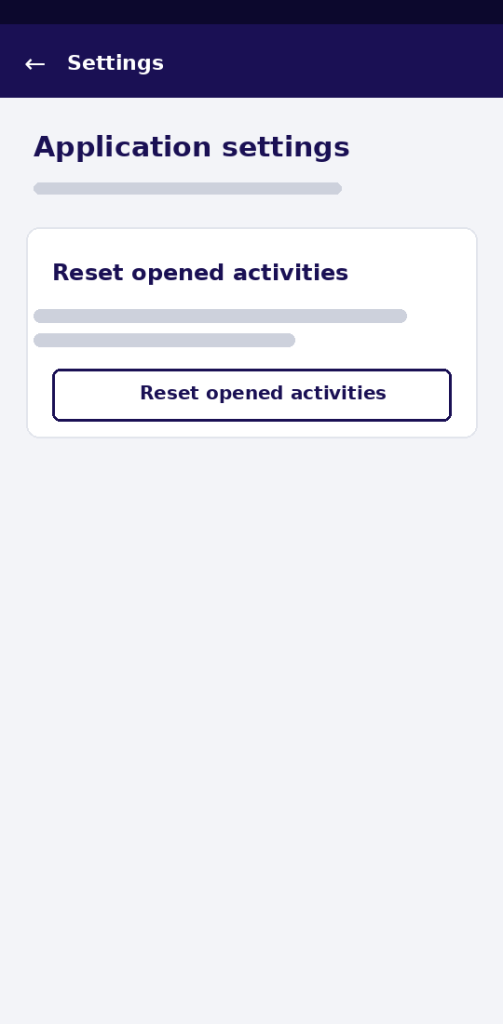
Want to redo an activity? Some are one-time only. Open the menu at the top right of the Activities screen and go to Settings → Reset opened activities: “Allow one-time activities that were previously opened to be accessed again.”. Useful if someone else wants their own turn, or if you want to see where a different choice leads — the paths really do diverge.

attaCHbox Settings screen: application settings for managing stored activities, with a card and button to reset previously opened one-time activities.

Look for the Restart button. At least one activity ends on a thank-you screen offering Restart plus shortcuts to the other experiences.

Closing screen of the Audio / Strike prototype: a thank-you message with a Restart button and shortcuts to Values & Actualization, Present & Past and Image Evaluation.

Try it on your next visit

attaCHbox works best where it was designed to work: standing in front of the object, phone in hand, five minutes to spare. The activities aren’t quizzes with right answers — they’re prompts that turn a display case into a conversation about what you value, and why something from three thousand years ago still has a claim on your attention.

Next time you visit a META-MUSEUM partner museum, look for the QR codes beside the exhibits — or just open the Activities tab and start with whatever catches your eye.


The attaCHbox platform is developed as part of META-MUSEUM – GA 101132488. Funded by the European Union. Views and opinions expressed are however those of the author(s) only and do not necessarily reflect those of the European Union. Neither the European Union nor the granting authority can be held responsible for them.

META-MUSEUM
Privacy Overview

This website uses cookies so that we can provide you with the best user experience possible. Cookie information is stored in your browser and performs functions such as recognising you when you return to our website and helping our team to understand which sections of the website you find most interesting and useful.